

Go to New Games



PixelTris














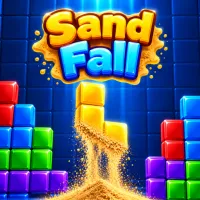
PixelTris is a unique falling-block puzzle game, where blocks crumble into sand when they hit the bottom. Your job is to connect sand of the same color from the left wall to the right wall to clear it and make combos.
PixelTris – A Falling-Block Puzzle Game with Sand-Matching Mechanics
PixelTris reimagines the classic block-stacking genre in a whole new way. Blocks keep falling down from the top but they don't remain intact after they land but break into loose grains of sand. Players must watch the sand gathering and devise ways to make a continuous line from the left wall to the right wall of the same color.
PixelTris Game Play: Falling blocks turn to sand
In each turn players control a falling block, trying to position it in the best location. On impact the block breaks up into sand and mixes with the sand already on the board. This mechanic makes the layout move all the time. Players have to think on each move and create lines of the same colored sand faster.
Connecting wall to wall colors
The main objective of PixelTris is to join the left wall with the right wall, creating a continuous line of sand of the same color. Once the connection is made, that color is cleared out of the way, making room for the next blocks. Not only do players have to stack, but they must also imagine how the sand will spread and gather after each drop, and how it will connect.
Consecutive clears increase multiplier
Once a connection is made players have three seconds to make the next clear to keep their combo chain going. The short period encourages quick observation and the use of connections already emerging on the board. Keeping the combo up increases the multiplier value, it encourages players to look for consecutive clears instead of each turn separately.
Space is always at a premium
Sand keeps piling up as you play. The game is over when there is no longer enough space for a new block to pop up. So the key to getting combos is clearing sand at the right time.
Controls
- Move: Left/Right or A/D
- Block rotation Up W or X
- Drop slowly S or down.
- Space. Drop fast.
- Touch screen: Drag to move, tap to rotate, swipe down to drop piece.